Monday, March 7, 2022

Activity 1: History of Graphics Design

 What is Graphic Design?

Graphic design is a field where designers construct their visual works or contents that conveys a message to the clients. In graphic design, you can use different page layout techniques. Generally, designers use appealing images and typography to meet audiences' needs for a specific topic for their product or business.

Difference of Traditional and Digital Graphic Design

Traditional graphic design is mostly referred to as printed layout for book covers and newspapers, magazine layouts, and posters that requires heat and manpower for it was manual back before the technology age hits. Traditional graphic design is also limited in terms of the tools we use. While digital graphic design is much easier to use because there's always a preview before sending the final output to your clients. Also, the tools used in digital graphic design are unlimited compared to traditional.

Most Famous Artists in Painting

Leonardo Da Vinci, Mona Lisa, 1503–19

The famous smile of the Mona Lisa has driven people insane in the entire world for centuries. No matter what the reason behind Da Vinci's masterpiece is, Mona Lisa's look of calm made an impact on the people for centuries.


Johannes Vermeer, Girl with a Pearl Earring, 1665

Johannes Vermeer illustrates the painting by looking over her shoulder, fastening her eyes to the people in such a way that tries to build a connection between the painting and the viewer throughout the years. Actually, the girl in the painting isn't intended to become a portrait, but rather an example of the Dutch category called tronie.


Vincent van Gogh, The Starry Night, 1889

Vincent van Gogh's "The Starry Night" appeals to reflect his chaotic state of mind, as if the night sky becomes alive because of the swirls and orbs plus the brush strokes that are visible. Bounded from yin and yang of his personal monsters and wonder of nature.


Artists in Graphic Design and their works

Chicago World’s Fair poster by Weimer Pursell, 1933

Style, elegance, and sophistication are the epitome of Art Deco design. Art Deco uses simple shapes, stylized and geometric ornamentation, and elaborate use of expensive materials, both natural and synthetic.


Cover for a WET magazine designed by April Greiman, 1979

Postmodernism was a reaction against modernism. While modernism was based on idealism and reason, postmodernism was born from skepticism and suspicion of reason. Modernists valued clarity and simplicity. Postmodernists embraced complex and often contradictory layers of meaning.


Whaam! by Roy Lichtenstein, 1963

The pop-art movement began as a revolt against the dominant approaches to art, culture, and traditional views on what art should be. Sources of inspiration ranged from Hollywood movies, advertising, product packaging, pop music, and comic books, rejecting the pretensions of “high art” in favor of bold, graphic printmaking.


Artists in Photography and their works

Man Jumping the Puddle by Henri Cartier-Bresson, 1930


 The Steerage by Alfred Stieglitz’s famous photo, 1907


Stanley Forman’s famous photo Woman Falling From Fire Escape 1975


Prize-winning photo of Starving Child and Vulture by Kevin Carter Pulitzer, 1993


 Saigon Execution by Eddie Adams 1968


Above are just a few of the famous masterpieces of artists in the field of painting, graphic designs, and photography. I hope you learned something from this, thank you so much!


Resources

Graphic Design

Brief History of Graphic Design

Traditional Graphic

Famous Artists in Painting

Famous Photographs in History

Tuesday, March 1, 2022

Exercise 1: Photo Mosaic

Elements and Principles of Design


Line - it is the path of moving point.


Shape - it is the result of close line. There are two types of shapes; first is geometric--  these are triangles, squares and circles. Second is organic-- which has no defined parameters or just merely abstract.


Color - it is the element of art that is produced when light, striking an object, is reflected back to the eye: that's the objective definition. (Esaak, 2019)


Value - it is the lightness, or darkness in color.


Form - it is when shape acquire depth and became three dimensional.


Texture - it is what the object appeals to the sense of touch.


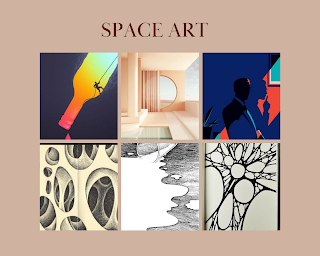
Space - it is any area where the artist create for a purpose.


Balance - it is the visual representation of stability in the creation of artworks.


Contrast - it is when two opposite colors are achieved when arranged together.


Emphasis - it is the principle of art that helps the audience put the story of a painting together in their own minds.


Pattern - it is a design in which lines, shapes, forms or colours are repeated.


Movement - it is the principle of art that an artist uses to guide a viewer's eye in, through, and out of a composition.


Rhythm in art refers to the arrangement of shapes in a way which creates an underlying beat.


Unity - it is the arrangement of different pieces producing the harmonious, balanced, and complete whole would be a definition of unity in art.


Resources:

https://www.leesburgarts.com/blog/elementsofart
https://etchrlab.com/blogs/news/the-power-of-contrast-in-art
https://thevirtualinstructor.com/blog/emphasis-a-principle-of-art#:~:text=Emphasis%20is%20the%20principle%20of,can%20have%20multiple%20focal%20points.
https://www.bbc.co.uk/bitesize/guides/z3c4jty/revision/1#:~:text=A%20pattern%20is%20a%20design,Elements%20of%20art
https://www.purchase.edu/live/profiles/3934-activity-principles-of-art-movement
https://drawpaintacademy.com/rhythm/#:~:text=Rhythm%20in%20art%20refers%20to,to%20see%20it%20in%20action.
https://www.widewalls.ch/magazine/unity-in-art#:~:text=Difficult%20to%20define%20but%20instinctively,definition%20of%20unity%20in%20art.


Wednesday, February 9, 2022

Exercise 11: Hyperlink, Action Button, Pop-up.

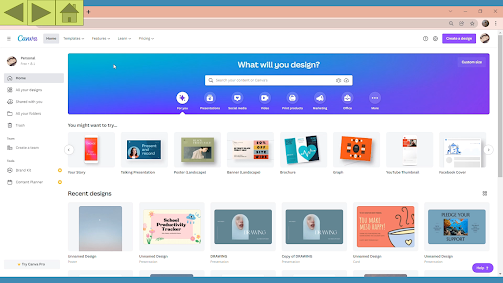
 Here is the sample of what the presentation will look like.


In this presentation you will see the compilation of some of my activities in Living in IT Era and Introduction to Multimedia Arts course. I hope you enjoy.

https://youtu.be/yGuPzs65kjM


Here are the slides:


Sunday, February 6, 2022

Activity 10: Interactive Webpage

HOW TO IMPROVE YOUR MULTIMEDIA SKILLS

Type of Media

-        First, you should know what type of media you are going to use in able to start your presentation or work. Are you going to do a slideshow presentation? Do you want to edit a video? You should first identify what type of media you should use. In making a slideshow presentation you can use PowerPoint Presentation where you can put animation and transitions in every slide, as well as Canva. For video editing, if you are a beginner like me, I recommend using CapCut. It is very handy to use and enjoyable to learn how to use.


Concept or Topic

-        Next, think of a concept or topic you want to create. Of course, you can’t start a work without knowing your concept or topic. For example, you want to try to edit a short film just for fun. What certain type of short film you want to create? Is it just for a story in social media, or a memory you want to upload? Maybe let’s say it’s a project, what genre you want to produce? Is it an indie, thriller, or just a simple advertisement? You should always remember that in every output you make, concept is important in able to start a project.

See the sample video below for reference on how to edit in laptop using CapCut.


Explore the Software

-        Explore the software or the tools you are going to use in doing your work. Let’s say that you want to create something using Canva because you heard that it is the most recommended software to use in making different types of presentation, but you are unfamiliar to it. Of course, you shall do the exploration on how to use the tools of it.

See the sample video below for reference on how to create a poster using Canva. 


sample output 1. The font and text is not that appealing to the eyes of the viewers.

sample output 2. So here I tried making the font color bolder so that audience can see clearer what this poster all about.

Practice

-        Practice recreating your work, by this you can make your idea better. Your perspective will be wider, and your skills will improve. You may be able to discover new ways to make your tasks easier in the future because you already master that certain media you are using. 

See the examples below to visualize what  I am saying. I made it using Canva.

figure 1. You can see the font didn't match the background, because both the font and background color have bright color.

figure 2. So I tried to make it bolder and darker to have a contrast from the background.

figure 3. You can see both the design and the font didn't match each other. It is also overly decorated which is not that good in the eyes of the recipient.

figure 4. So here, I tried it to look simpler, and it turns out to be nice in the eyes.

figure 5. You can see here that there's an unnecessary design which was the diagonal lines and also it looks dull and plain.

figure 6. So here I tried it to make it simpler and at the same time it gives a happy vibes because of the color that radiates.

Apply

-        Finally, try to create your own output because you have already experienced on how to use that certain type of media, you are now skilled in such. Applying the things you  have learned to create such an artistic and creative output. This can help you a lot, most especially, in the work or project you are about to make in the future.


That is all, I hope you had learned something from this. 


Colossians 3:17

"17 And whatever you do, whether in word or deed, do it all in the name of the Lord Jesus, giving thanks to God the Father through him."


U-Week Activities 2022

During the University Week, we were encouraged to join at least one of the different contests that the school offered, so I decided to join ...